
I currently work with several nodes systems in 3D and wanted to show you some things that I found totally awesome in Blender, Fabric-Engine Canvas, Grasshopper etc..
- If you CTRL-leftmouse-drag over the "wires" between nodes in Blender, you get a kind of "knife" that cuts all wires you drag over. That is unbelievable helpful and would be an awesome feature for Usine IMO.
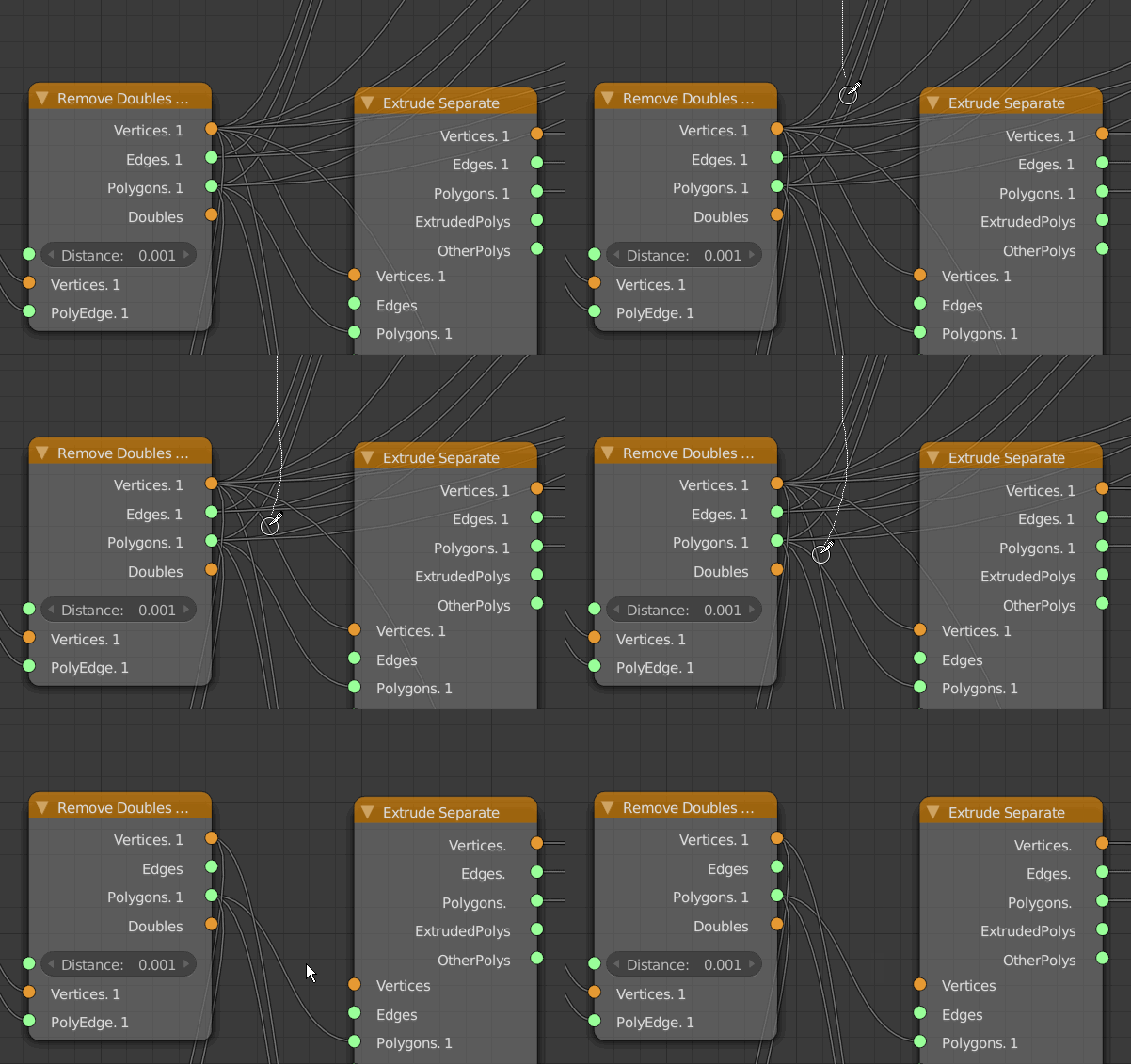
- One situation I run into extremely often is, that I want to move an existing wire to a different in- or output. In Blender and some other node systems you can click on the wire itself close to either end to be able to drag that end of the wire around. In Blender it only works for the "end" of the wire, but other system allow to move around both sides. Since Usine has a clear " wire center", it would be awesome to be able to click on the half you want to drag and then be able to reconnect it directly.
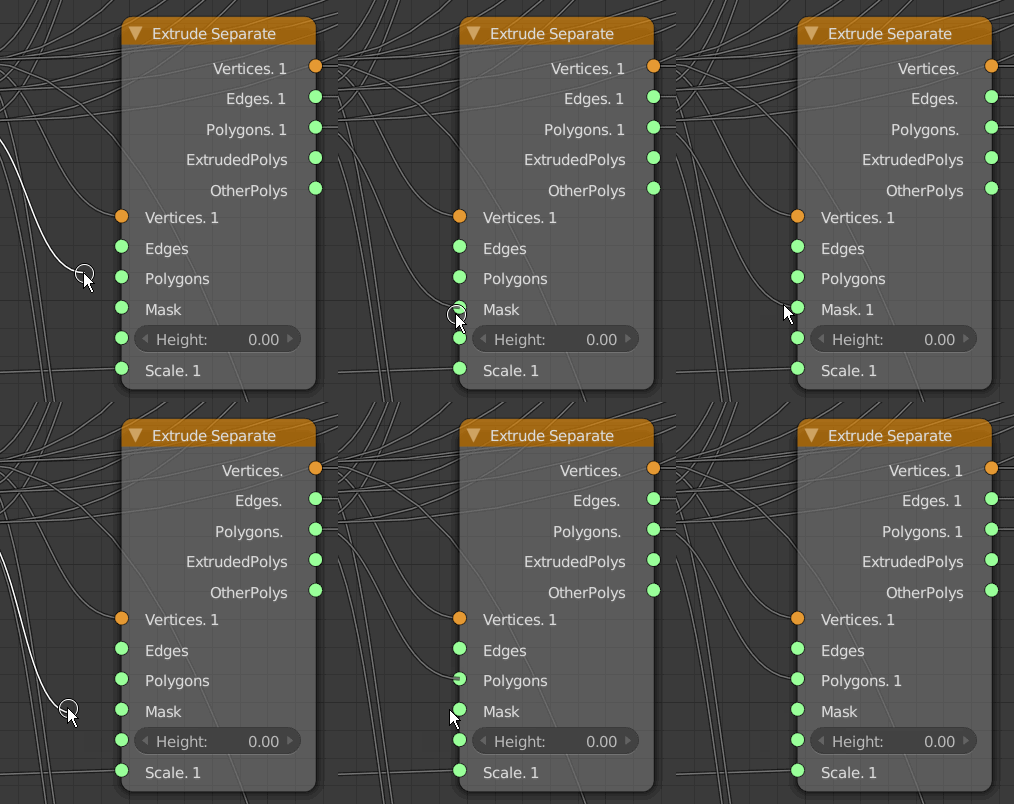
- A very helpful shortcut action in Blender is "CTRL-D" to duplicate nodes (instead of CTRL-C/CTRL-V).
Speeds up one of the most used actions with nodes by 100%

- Some node systems have the ability to "mute" a wire. This is extremely helpful for testing and debugging more complex patches where you sometimes have to disconnect a lot of wires to find out what a single one does, and it can be very complicated to re-connect them correctly afterwards.
In Usine I could imagine to SHIFT-select the wires and then either have a shortcut or a right-mouse menu with "mute wire" as an option.
The wire could then for instance show an "X" over it's central square.
- Speaking of which: Having a right mouse menu would be very welcome in Usine patching.
I know we had that discussion before and you said it's problematic for touch systems, but a long touch-and-hold could take care of that IMO.
I don't have a touch screen, I don't plan on getting one for my desktop and I really miss this each time I open Usine.
I'd like to see in a menu for Nodes:
- Disconnect all wires.
- Disconnect all inputs.
- Disconnect all outputs
- Show all connections (VSTs)
- Hide all unused connections (VSTs)
- Add basic setup (VSTs) (similar to what Usine does when you drag a VST into a new patch, but for patches with multiple VSTs)
- Copy node.
- Copy node settings.
- Paste node settings.
- Mute node.
On Wires (on their center square, also for multiple selections):
- Mute/Unmute.
- Paste-Insert (like drag over wire).
On the Background:
- Paste
- Insert favourite (with a user definable list of favourite nodes/patches for fast access)
- What all those systems offer is a direct fuzzy search for nodes directly in the patch window. For instance Grasshopper: Doubleclick on the patch-background and you get a search-field where you can start typing part of the name and get a realtime-sorted-list of nodes. The search is fuzzy so you find all kinds of related nodes, even if you are not totally sure of their names.
There are also some shortcuts: type in "+" and you get an add node, "<" for a smaller than node, " for a comment node or more advanced, type in 5<10<25 to get a slider node that goes from 5 to 25 with a default value of 10. Totally awesome to use.
I find this so much faster in many cases than a browser, especially since you lose your open/close state of categories when you do a search in the browser which is so frustrating each time...
Here a screenshot from Blender where i's a bit different, but similar:
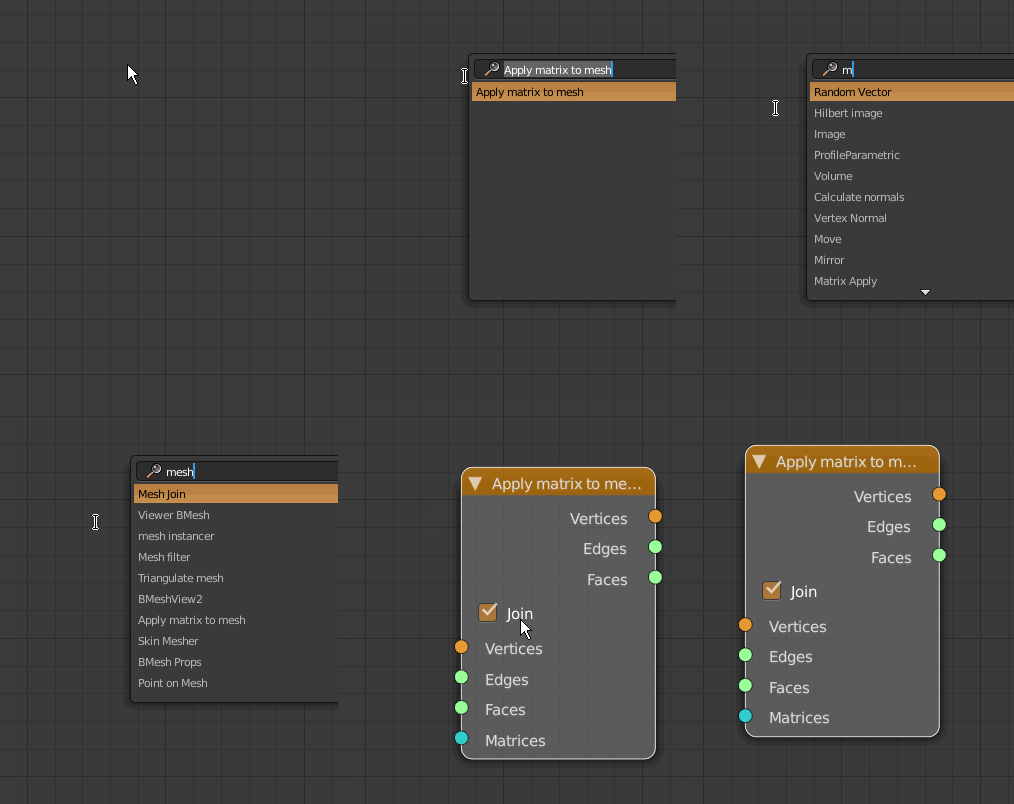
You can also see that the right-click menu contains all the available nodes, which sometimes is also helpful.
Here some links to Blender Node tools for inspiration (not all of it translates to Usine, but there are some clever concepts there):
http://wiki.blender.org/index.php/Exten ... ency_Tools
http://wiki.blender.org/index.php/Exten ... e_Wrangler
Thank you very much!
Tom



